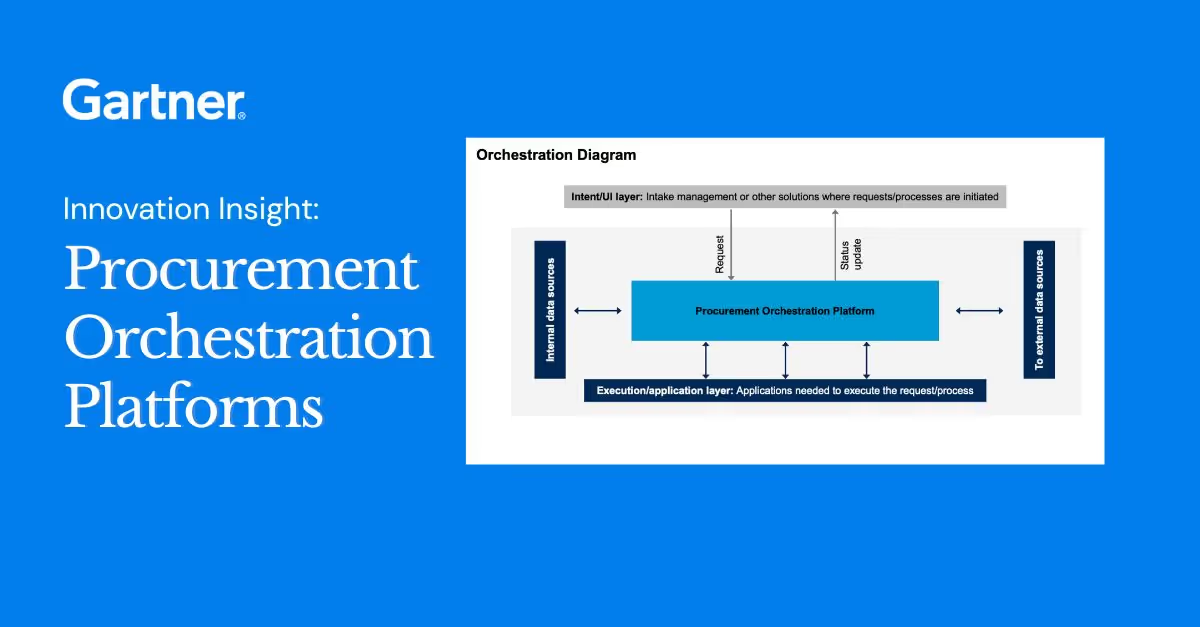
Most of the market's attention in procurement AI has gone to the procurement agents, which are already driving incredible impact.
Just ask any of my procurement friends what they run on and the list is familiar. A system of record: the ERP, the contract repository, the supplier master. A system of action: intake, workflows, approvals, the tool people actually open. And now a AI agent: a copilot, a bot that drafts, summarizes, and actions.
But, when we started building Ranger in April, we knew that important foundational work lived around and underneath the agent: how it works across a company's systems, and what has to be in place for the agent to work securely toward the company's goals.
This article is about why we made specific design decisions for Ranger, and the questions procurement teams should be asking when evaluating market options.
What an agent needs to excel at procurement
Procurement teams are already finding agents to be helpful. They read contracts and documents faster, first drafts are quicker, and we spend less time clicking around. Where the agents struggle is managing exceptions and finishing the work.
Procurement is highly structured function, managing real money and real risk. It is also a function that is dynamic, multi-faceted, and requires strong judgment to manage exceptions.
This combination is tricky for agents: the rules leave little room for error, and each exception needs context from across systems to make a decision. To finish that work, an agent needs three things: access to the data, permission to act on it, and a way to ask a person for approval.
Where the current system architecture fails an agent
An agent can do exactly three things: see, act, and ask.
When seeing happens in one system, acting in a second, and asking in a third, the agent cannot finish anything by itself. This is the most common approach to agents in the market today. To enable the agent to work across systems, IT and software vendors can build integrations to manage permissions, audit logs, and data syncing across systems. For example, when an agent needs supplier data from the ERP, an integration either copies that data into another system on a schedule or passes it to the agent through an API.
Unfortunately, every integration is a possible source of inaccurate data, confidentiality risk, or delays when a connection fails. The more exceptions a process has, the more often those gaps show up. Moreover, when the data, the permissions, and the approvals sit in separate systems, the agent is often limited to executing a narrow part of its job.
A single system for autonomous procurement: Ranger
When we started on Ranger, the autonomous procurement platform, the question we kept coming back to was: what would procurement software have to look like for an agent to be a first-class user of it? The answer was: a whole new system.
An agent will do better work when it is built into the procurement system than when it is connected to it from the outside, for two reasons. First, it works from current, accurate data under the same rules as everyone else, ensuring security and trust. Second, it has the data and guidance it needs to handle exceptions.
With Ranger, your procurement record, workflows and agent are built together, enabling agents to resolve routine exceptions or more easily bring a person the full context they need to focus on decision-making rather than data gathering. In order to meet the needs of the most demanding teams, we knew we'd need to prioritize autonomy and capability while ensuring trust and security, accuracy, and auditing.
The hard part of autonomous procurement: one system, two kinds of users
You and I navigate software by looking. We open a list, click a record, read a status, press a button. An agent navigates by calling tools: search this, read that, update this field, start that workflow. We are looking at the same records with the same set of rules, it just happens to be in a completely different way.
The easy answer is to give the agent a master key. Let it log in as itself with access to everything, let it make changes through a back door instead of the normal approval path, and let it keep its own record of what it did instead of writing to the company's log. That is how many agents are bolted on today. It is also how you end up with an agent that can read contracts its user is not allowed to see, or change a supplier's bank details with no one's name on the change.
The constraint we set for Ranger was simple to say and expensive to build: anything an agent can do must be governed by exactly the rules a person is governed by. Same permissions, same approvals, and the same audit trail. When an agent needs an exception, the system has to change, not the rule.
Four things to look out for in a procurement AI agent
These are the four places a procurement AI agent gets into trouble inside a system that was not built for it. Each one is easy to spot once you know what to ask, and each one shaped a decision we made.
1. The agent that sees more than you do
Watch for a service account, a shared login, or an agent that pulls everything and filters the results afterward. The symptom will be an agent that can summarize a contract its user was never allowed to open.
In Ranger, the agent starts every session as the person who opened it. It knows who you are, which groups you belong to, and which records you are assigned to. A role is only the first of three checks. The second is whether the user is assigned to the specific record. The third is whether a group or collaborator relationship grants access. An agent passes all three or it does not act.
Ask: Does the agent act under my user's permissions, or its own? Then ask to see the agent try to read a record the user cannot.
2. The agent that never asks
Watch for a vendor who cannot show you the setting that says which agent actions wait for a human.
In Ranger, every tool an agent can call is tagged with a risk class: read, write, spawn (delegating to another agent), or external (calling something outside Ranger). For each class, the policy is one of three modes: run automatically, pause for approval, or deny. That policy is set per agent, and admins can see it next to every tool.
In practice, in Ranger reads happen instantly, writes pause the session and show an Approve / Reject card, and the agent cannot even select a tool the policy denies. Each write is approved on its own; approving one does not pre-approve the next. If an agent delegates to a sub-agent, the child inherits the stricter of the two policies. The model does not decide how autonomous it gets to be. The policy does, per action type, and it is recorded.
Ask: Which agent actions wait for a human, and who decides? Ask to see this in the product settings.
3. The record that changed while nobody was watching
Watch for a supplier field that is different today than it was yesterday, with no proposal, no reviewer, and no name attached. A supplier updates its bank details through the portal. A connector pulls a changed address from the ERP. An agent extracts a new payment term from a contract. In most systems these three paths land in three different places, and the record changes while no one is watching.
In Ranger all three produce the same thing: a change request. It holds one or more proposed field values, flagged material or not, with a lifecycle a reviewer walks through item by item. The agent proposes and a person makes the application.
Ask: When the agent proposes a change to a record, where does the proposal live before it is applied, and who applies it?
4. The log that only shows what worked
Watch for an audit log with no record of attempts that were refused, and no way to read back what an agent actually did in a session.
In Ranger, every create, update, delete and status change writes to an append-only audit log that cannot be edited. That includes actions an agent took. It also includes actions that were attempted and denied by a permission check, an entry few systems write and the one a compliance team most wants to see.
On top of the action log, agent sessions themselves are reviewed. A judge model grades each session on whether it achieved what the user asked and whether the user seemed satisfied, and flagged sessions land in a queue where an admin reads the full transcript and records whether they agree. The system does not just log what the agent did. It keeps a record of whether the agent was any good.
Ask: Is every agent action in the audit log, including the ones that were denied? And can I read the agent's full session afterward, and is anyone grading it?
Where we think this goes
Most of the conversation about agents is about how much the agent can do. In procurement, we think the an equally useful question is how much the system underneath lets it do safely: what data it can see, what rules it follows, and whether it's held to the same approvals and records as the people it works with.
Most procurement teams already have a system of record, a system of action, and an agent. We think the teams that get the most out of agents will be the ones whose agents are built into the procurement system and work from the same connected data as their people. That is what we built Ranger to do, and we'll keep sharing what we learn as more of our customers run Ranger in production.
When Gartner retired "autonomous procurement" from this year's Hype Cycle, on the grounds that no single technology could deliver it. It was not a surprise to anyone, because it was never about a feature. It takes a system built for the agent from the start.
Sources. Gartner, Hype Cycle for Procurement and Sourcing Solutions, 2026, Lynne Phelan et al., 10 June 2026.GARTNER and HYPE CYCLE are registered trademarks of Gartner, Inc. and/or its affiliates in the U.S. and internationally and are used herein with permission. All rights reserved. Gartner does not endorse any vendor, product or service depicted in its research publications.
Frequently Asked Questions
Does the agent act under my user's permissions, or its own?
It should act under the user's permissions. The agent starts the session as the person who opened it and is checked the same way a person is: by role, by record assignment, and by group. Ask to see the agent try to read a record the user cannot; it should fail, visibly.
Which agent actions wait for a human, and who decides?
Every action an agent can take should carry a risk class (read, write, delegate, external), and each class should be set to run automatically, pause for approval, or be denied. That policy should be written down where an admin can read it. Ask to see the setting in the product, not on a slide.
When the agent proposes a change to a record, where does the proposal live before it is applied?
In a queue with a reviewer. Changes from suppliers, connectors and agents should land as proposals a person approves item by item, so a record never changes on its own. Ask who applies the change and where you can see it waiting.
Is every agent action in the audit log, including the ones that were denied?
It should be. An append-only audit log that cannot be edited should record every create, update, delete and status change, including attempts that were refused by a permission check. Ask whether you can also read back an agent's full session afterward and whether anyone grades those sessions.